WordPress Payment Gateway – Accept Cryptocurrency Payments
If you own a WordPress website, you know that seamless and flexible payments are key to growing your business. Traditional gateways often come with high fees, chargebacks, and limited global reach -but the WordPress payment gateway by Crypoverse changes that. It allows you to accept cryptocurrency payments like Bitcoin, Ethereum, BNB, and stablecoins directly on your site, offering a fast, secure, and borderless solution that gives your customers more freedom while you maintain full control over your earnings.
Why Choose Crypoverse WordPress Payment Gateway Plugin
The Crypoverse plugin helps WordPress site owners accept crypto payments without technical hurdles. Here’s what makes it stand out:
- Multi-Crypto Support – Accept Bitcoin (BTC), Ethereum (ETH), Litecoin (LTC), BNB, Polygon (POLY), and major stablecoins like USDT and USDC.
- Easy Integration – Add a payment gateway to WordPress in a few clicks. No coding needed - install, activate, and connect your API keys.
- Secure Transactions – Blockchain verification ensures fraud-free, encrypted payments with zero chargebacks.
- Seamless Checkout – Customers can pay directly on your WordPress site using their preferred crypto wallet.
- Regular Updates & Support – Stay compatible with new WordPress versions, with 24/7 assistance from the Crypoverse team.
- Configurable Payment Options – Choose which cryptocurrencies to accept, display prices in fiat or crypto, and auto-convert volatile tokens into stablecoins.
Crypoverse vs Traditional Payment Gateways
| Feature | Traditional Gateways | Crypoverse WordPress Payment Gateway |
|---|---|---|
| Global Access | Region-restricted | Worldwide, borderless |
| Fees | 2–4% per transaction | Under 1%, flat and transparent |
| Chargebacks | Common | None |
| Settlement | 2–5 business days | Instant |
| Currencies | Fiat only | 50+ Cryptocurrencies |
| Integration | Complex setup | One-click plugin |
| Security | Bank-managed | End-to-end blockchain encryption |
Unlike legacy systems, Crypoverse processes payments instantly on the blockchain -no banks, no middlemen, and no waiting.
Benefits of Accepting Crypto on WordPress
Accepting crypto through Crypoverse gives Wordpress users the flexibility of digital payments with the power of automation.
- Global Payments – Accept customers from anywhere without worrying about banking restrictions.
- Lower Fees – Keep more of your revenue by avoiding high card processor fees.
- Instant Transactions – Payments clear within seconds, ensuring smoother cash flow.
- Privacy & Security – No sensitive financial data shared or stored.
- New Audience – Attract crypto-savvy buyers and expand your market reach.
Step-by-Step Guide to Add Crypoverse Payment Gateway to WordPress
Setting up the Crypoverse payment gateway plugin on Wordpress is quick and beginner-friendly. Follow these simple steps to start accepting cryptocurrency payments on your WooCommerce store.
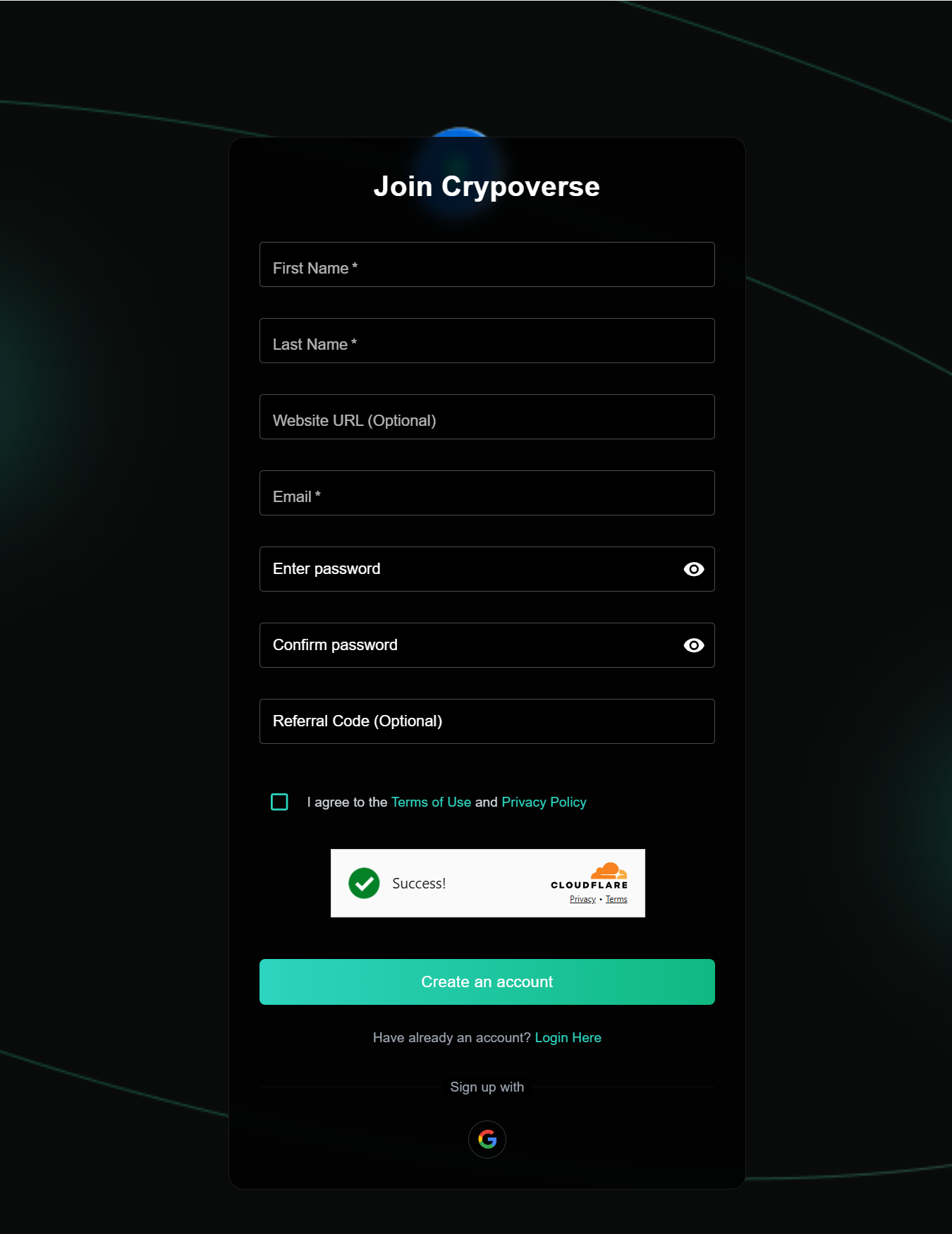
1. Create Your Accounts
Wordpress Account: Log in to your Wordpress Admin Panel.
Crypoverse Account: Visit Crypoverse and create your merchant account to receive crypto payments securely.
2. Download the Plugin Module
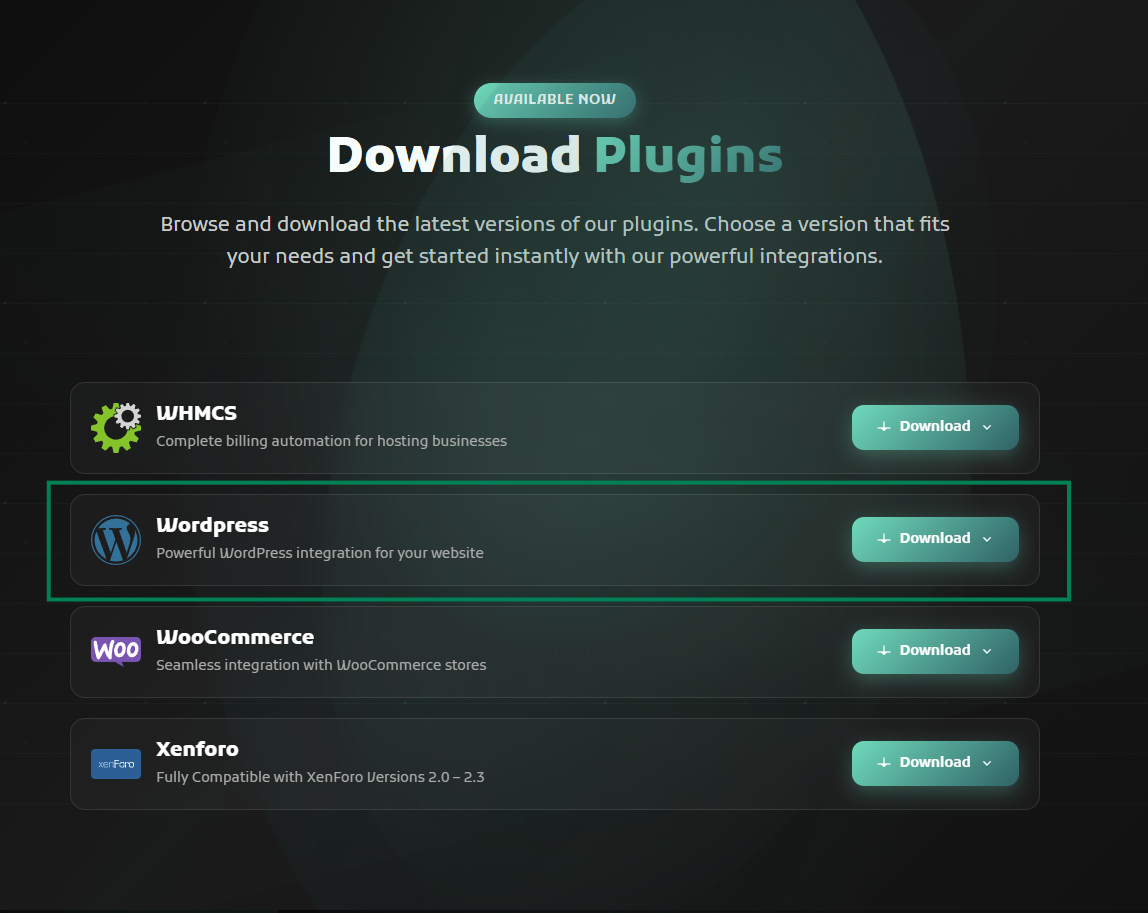
Navigate to:
Crypoverse → Developers→ Plugins
Find the “Wordpress Payment Gateway Module” and click Download to get the plugin files.
3. Activate Plugin using WooCommerce Plugin
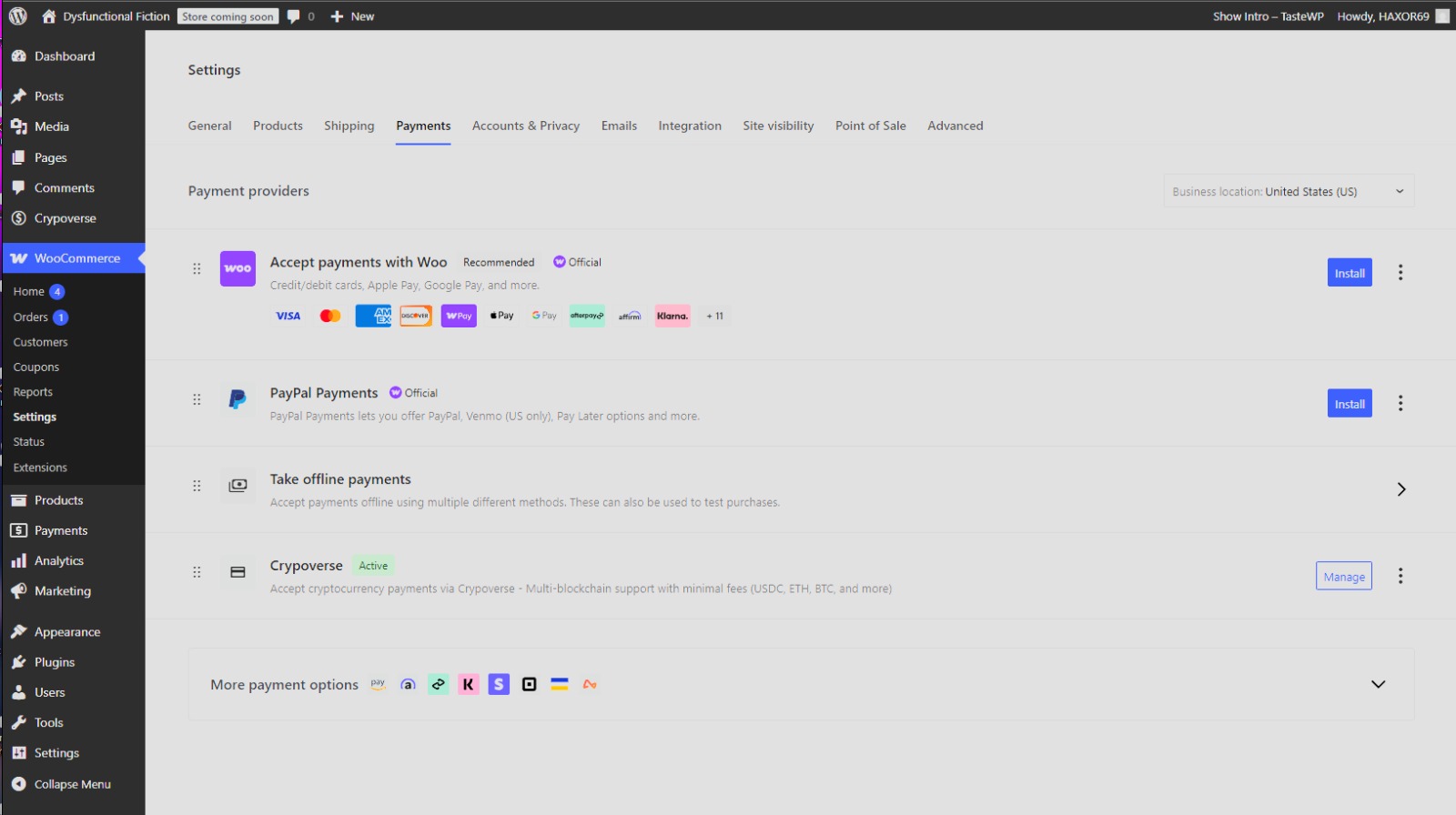
Once activated, go to WooCommerce → Settings → Payments and look for “Crypoverse.”
Click Manage to begin configuration.
4. Configure API Keys and Webhook URL
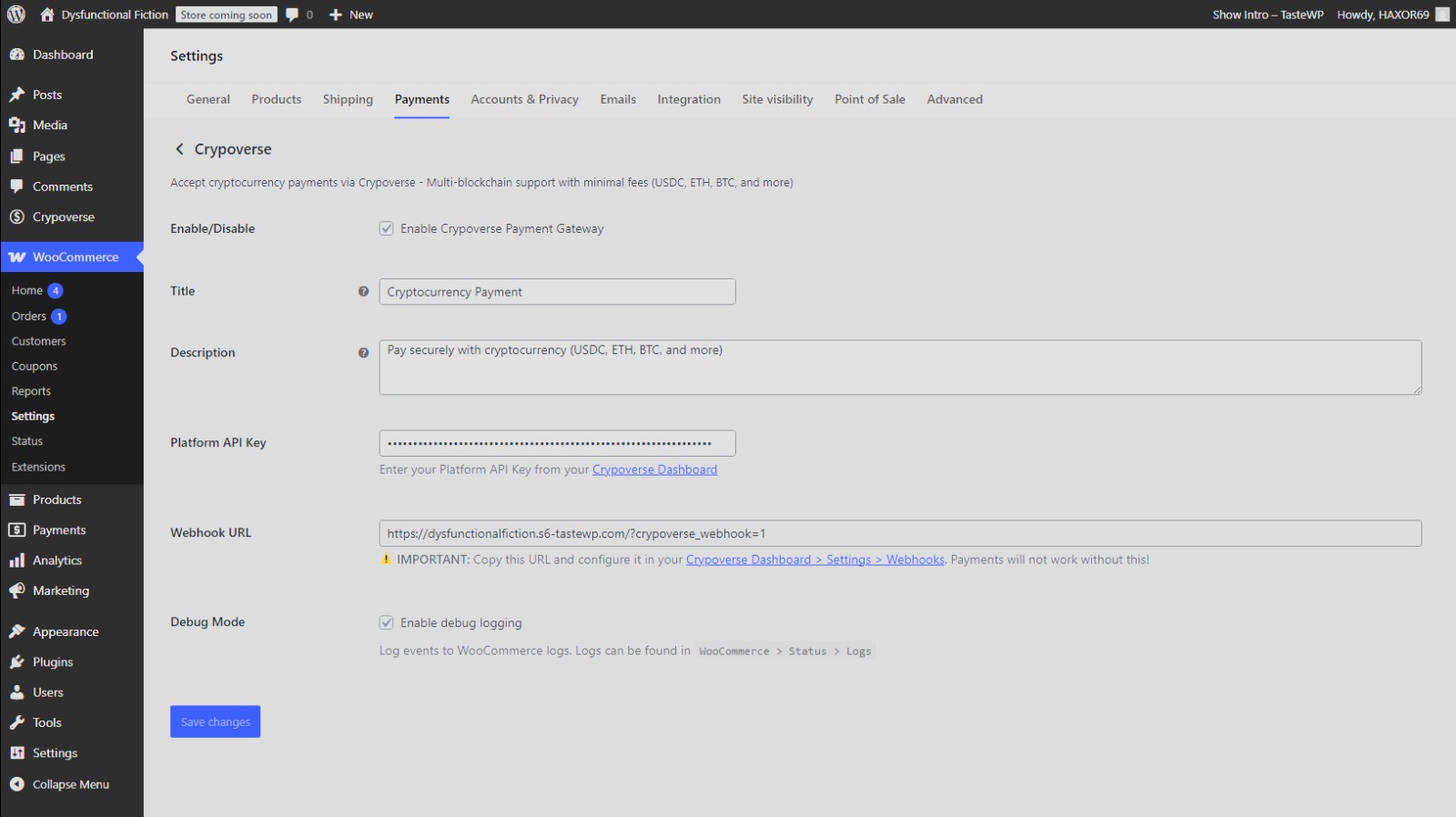
On the Crypoverse Payment Gateway Settings page, check Enable Crypoverse Payment Gateway.
Enter your Platform API Key from the Crypoverse Dashboard.
Copy the Webhook URL from WooCommerce and paste it into your Crypoverse account under:
Dashboard → Settings → Webhooks.
Add a title and short payment description for your checkout page (e.g., “Pay securely with cryptocurrency – BTC, ETH, USDT, and more”).
Click Save Changes to complete setup.
5. Customize & Test
Choose accepted cryptocurrencies, adjust appearance settings, and run a test transaction before going live.
✅ That’s it -your WordPress site is now ready to accept secure crypto payments through Crypoverse.