WooCommerce Payment Gateway – Accept Cryptocurrency Payments
If you run a WooCommerce store, you know that fast, reliable, and flexible payments are essential for business growth. Yet, traditional gateways often bring high fees, chargebacks, and limited global reach. The WooCommerce payment gateway by Crypoverse solves these challenges by enabling you to accept cryptocurrency payments directly in your store, offering a secure, borderless, and easy-to-set-up solution that helps you boost sales while providing customers with greater convenience.
Why Choose Crypoverse WooCommerce Payment Gateway Plugin
The Crypoverse plugin helps WooCommerce store owners accept crypto payments effortlessly -no technical expertise needed. Here’s what makes it the go-to solution:
- Multi-Crypto Support – Accept Bitcoin (BTC), Ethereum (ETH), Binance Coin (BNB), Litecoin (LTC), Polygon (POLY), and stablecoins like USDT and USDC. Offer your customers the freedom to pay in their preferred digital currency.
- Instant Blockchain Transactions – Payments are verified and confirmed directly on the blockchain, ensuring no chargebacks, delays, or third-party interference.
- Simple WooCommerce Integration – Add a payment gateway to WooCommerce with just a few clicks. The plugin installs like any other extension and works seamlessly with your existing checkout process.
- Real-Time Invoice Updates – Crypoverse automatically updates invoice statuses once payments are confirmed on the blockchain, so you and your customers always stay informed.
- Customizable Payment Flow – Choose which coins to accept, display product prices in crypto or fiat, and even set automatic conversion to stablecoins to minimize volatility.
Crypoverse vs Traditional Payment Gateways
| Feature | Traditional Gateways | Crypoverse WooCommerce Payment Gateway |
|---|---|---|
| Global Access | Limited by country | Worldwide, borderless |
| Fees | 2–4% per transaction | Under 1%, transparent |
| Chargebacks | Common | None |
| Settlement | 2–5 business days | Instant blockchain confirmation |
| Currencies | Fiat only | 50+ Cryptocurrencies |
| Integration | Complicated | One-click plugin setup |
| Security | Bank-controlled | Fully encrypted blockchain transactions |
Unlike traditional gateways that rely on slow and expensive intermediaries, Crypoverse delivers instant, transparent, and borderless payments -designed for a global economy.
Benefits of Accepting Crypto on WooCommerce
Adding a crypto payment gateway for WooCommerce gives your business modern flexibility while reducing payment friction.
- Expand Global Reach – Accept payments from anywhere in the world without worrying about exchange rates or banking restrictions.
- Lower Transaction Costs – Pay less than 1% per transaction and keep more of your revenue.
- Instant Settlement – Receive funds directly into your crypto wallet within seconds.
- Checkout Privacy – Customers can complete transactions without exposing sensitive financial details.
- Boost Conversions – Attract crypto-friendly buyers who prefer digital payment options.
Step-by-Step Guide to Add Crypoverse Payment Gateway to WooCommerce
Setting up Crypoverse is quick and simple. Follow these easy steps to integrate your cryptocurrency payment gateway WooCommerce plugin:
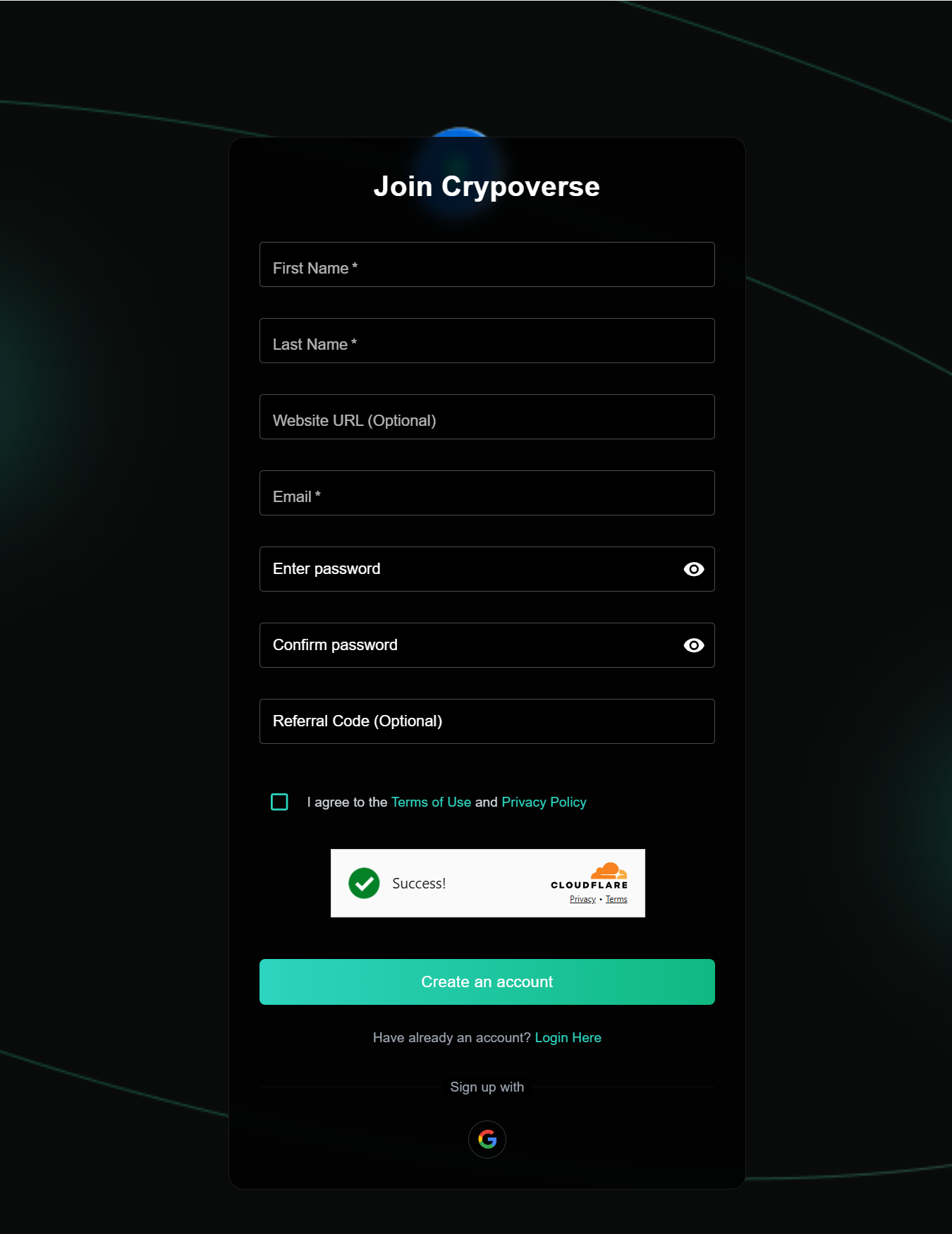
1. Sign Up for Crypoverse Account
Crypoverse Account: Visit Crypoverse.com and sign up for a merchant account.
Once your account is verified, create a platform to generate your API Key
2. Download the Plugin Module
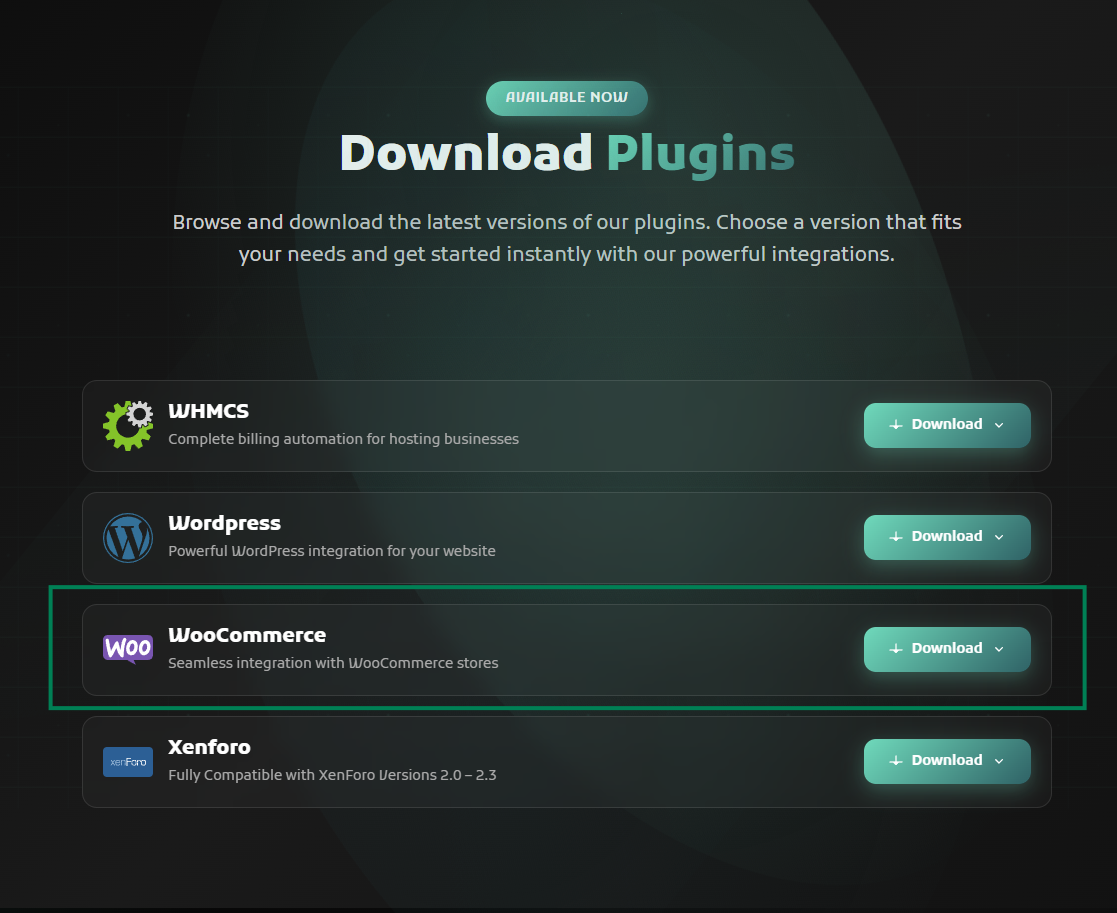
Navigate to:
Crypoverse → Developers→ Plugins
Find the “Woocommerce Payment Gateway Module” and click Download to get the plugin files.
3. Install WooCommerce Plugin
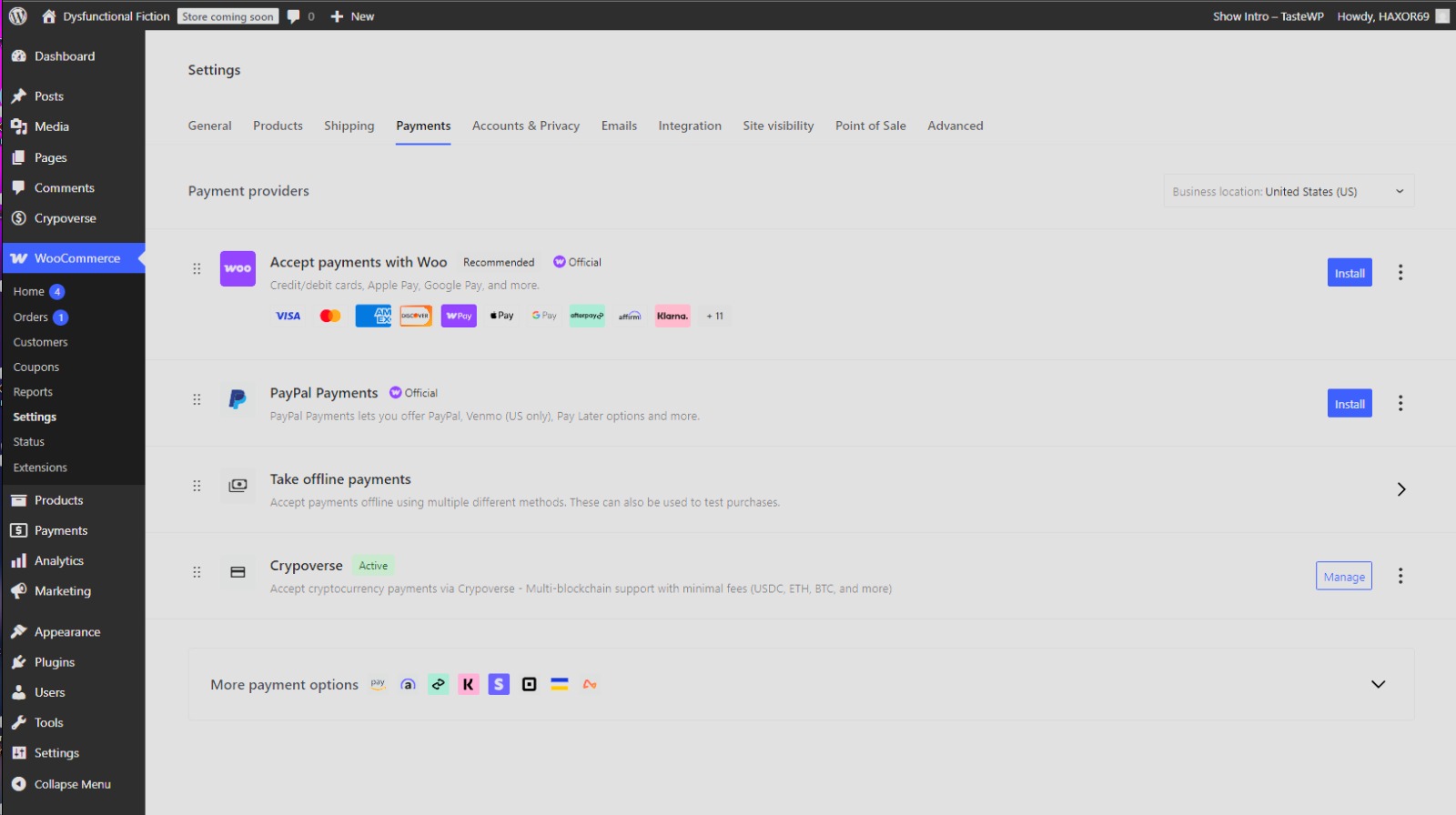
Log in to your WordPress Dashboard.
Go to Plugins → Add New → Install “Crypoverse Payment Gateway” Zip File
Click Install Now, then Activate.
Once activated, go to WooCommerce → Settings → Payments and look for “Crypoverse.”
Click Manage to begin configuration.
4. Configure API Keys and Webhook URL
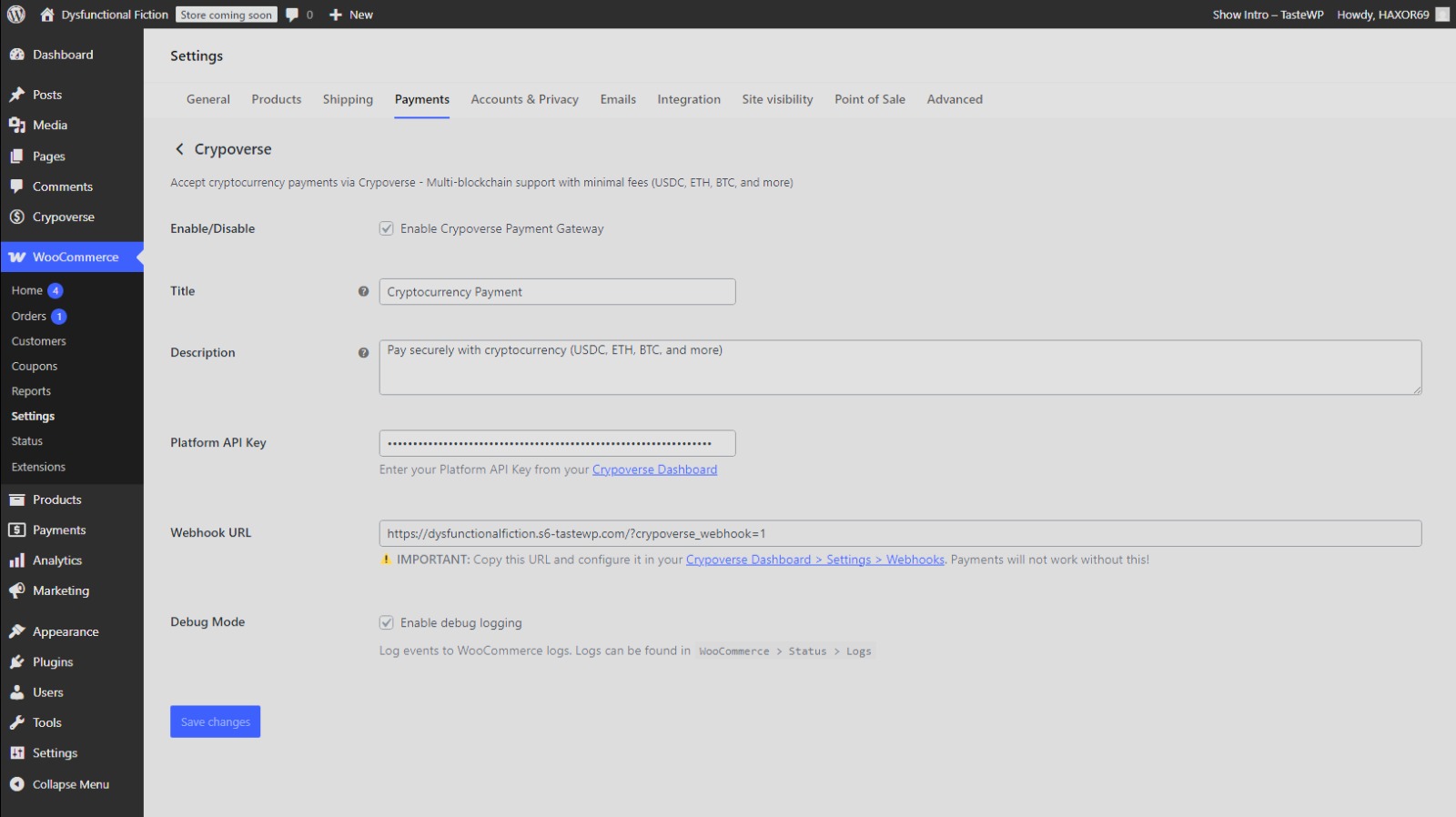
On the Crypoverse Payment Gateway Settings page, check Enable Crypoverse Payment Gateway.
Enter your Platform API Key from the Crypoverse Dashboard.
Copy the Webhook URL from WooCommerce and paste it into your Crypoverse account under:
Dashboard → Settings → Webhooks.
Add a title and short payment description for your checkout page (e.g., “Pay securely with cryptocurrency – BTC, ETH, USDT, and more”).
(Optional) Enable Debug Mode to track logs for test transactions.
Click Save Changes to complete setup.
5. Customize and Test
Adjust payment button labels, accepted currencies, and checkout appearance.
Switch on Test Mode to confirm everything works before going live.
Process a small test transaction to verify that invoices update in both WooCommerce and the Crypoverse dashboard.
6. Go Live
Once you’ve confirmed that transactions process correctly:
- Disable Test Mode and start accepting real cryptocurrency payments.
- Your store is now fully equipped with a crypto payment gateway for WooCommerce for fast, secure, and borderless transactions.
✅ You’re all set! Your WooCommerce store can now accept Bitcoin, Ethereum, BNB, and stablecoin payments directly through Crypoverse,