PrestaShop Payment Gateway Plugin – Accept Crypto Payments Securely
If you run an online store, fast and secure payments are essential for converting visitors into customers. The prestashop payment gateway plugin by Crypoverse makes this easier by allowing your shop to accept cryptocurrency payments with a simple setup, global reach, and low transaction costs.
Why Choose Crypoverse for PrestaShop Payments
Crypoverse delivers a modern checkout experience designed for merchants who want flexible payment options with minimal friction.
- Multi-Crypto Support including BTC, ETH, USDT, BNB, LTC, and more.
- Fast Installation through your admin panel without coding.
- On-Chain Security ensures transparent, irreversible transactions.
- Optimized for Global Buyers reaching customers regardless of region or banking access.
- Automatic Invoice Updates reflected in your dashboard in real time.
- Customizable Checkout Flow that adapts to your brand and pricing needs.
Crypoverse vs Traditional Gateways
| Feature | Traditional Gateways | Crypoverse |
|---|---|---|
| Global Access | Restricted by banking rules | Worldwide and borderless |
| Fees | High per-transaction costs | Low crypto processing fees |
| Chargebacks | Frequent | None |
| Settlement Time | 2–5 business days | Instant blockchain confirmation |
| Data Requirements | Extensive KYC | Pseudonymous payments |
Benefits of Crypto Payments on PrestaShop
- Global Reach – Crypto payments allow buyers from any region to check out without facing banking restrictions, currency limitations, or international card failures. This expands your potential customer base, increases cross border conversions, and makes your store accessible to markets where traditional payments are limited or unreliable.
- Lower Transaction Costs – Crypto transactions reduce or eliminate common card fees, chargeback penalties, and middleman costs. By using efficient on chain settlement, stores can keep more of their revenue while offering customers a cost effective alternative to credit and debit payments.
- Instant Settlements – Crypto payments clear within seconds, giving merchants immediate access to funds and eliminating the waiting period associated with bank processing. Faster settlements improve operational cash flow and help businesses manage inventory, payouts, and reinvestments with greater precision.
- Enhanced Security – Transactions validated on the blockchain are immutable and fraud resistant. This protects your PrestaShop store from chargebacks, unauthorized reversals, and common online payment risks. Customers also benefit from secure, encrypted payments without exposing sensitive financial data.
- Flexible Payment Options – With support for multiple cryptocurrencies, stablecoins, and automatic conversion settings, your store can offer buyers a broad range of checkout choices. This flexibility appeals to crypto savvy customers and makes it easier to serve international markets with stable value payment options.
Step-by-Step Guide: How to Set Up Crypoverse in PrestaShop
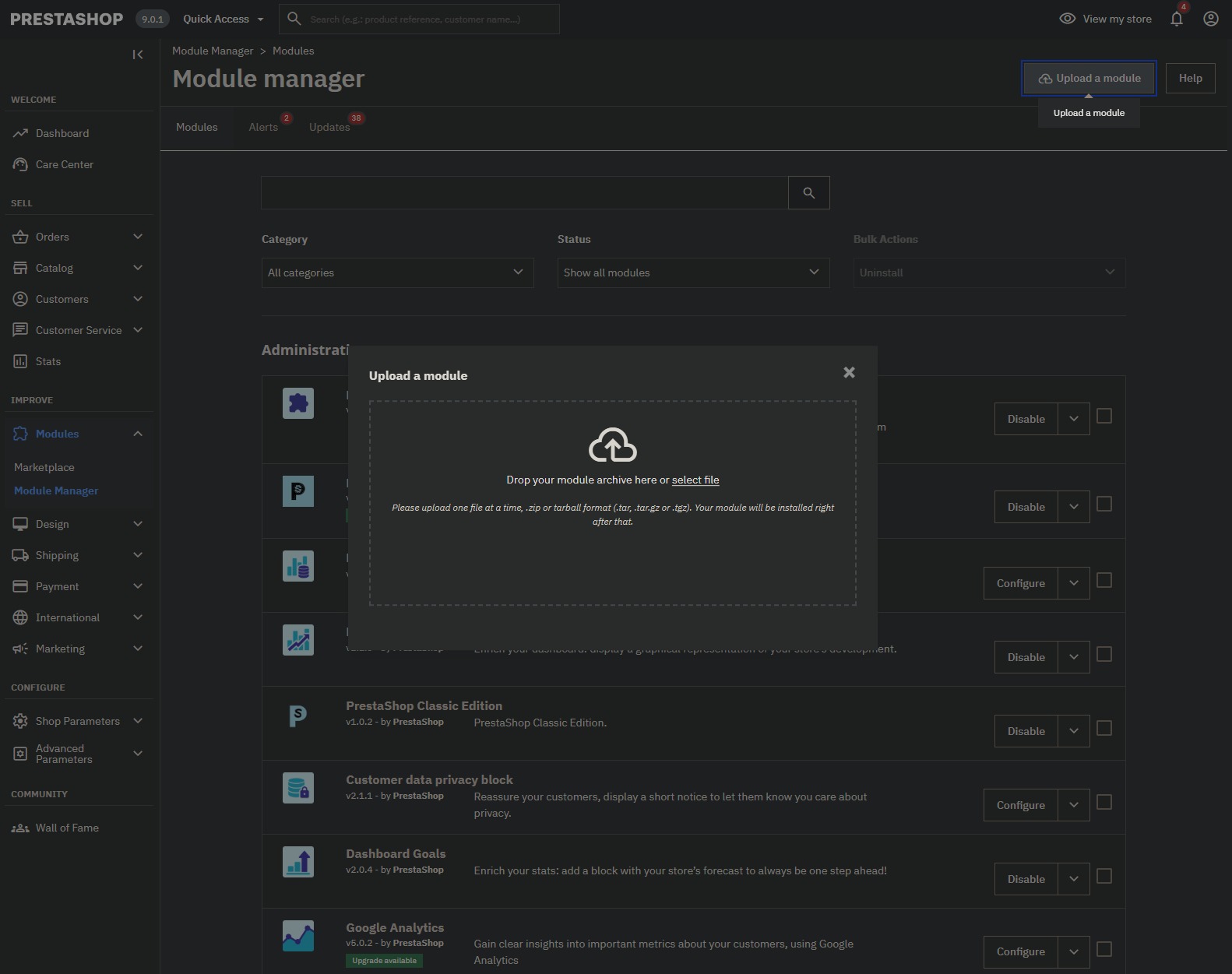
1. Upload the Crypoverse Module – Navigate to Modules → Module Manager in PrestaShop admin panel. Upload the ZIP file. PrestaShop installs automatically.
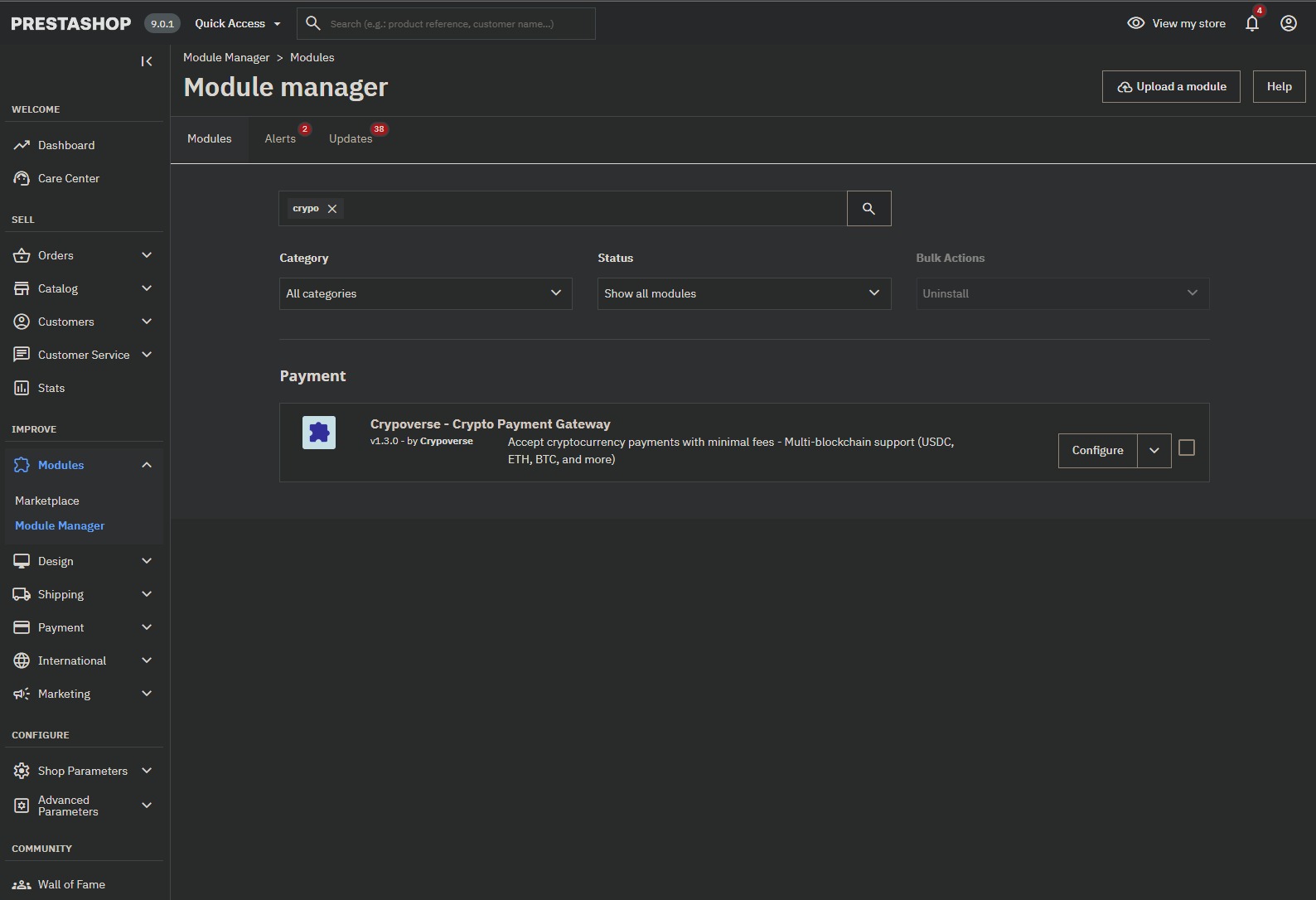
2. Locate the Installed Crypoverse Module – Search crypo or crypoverse in Module Manager. Click Configure to start integration.
3. Configure the Webhook and API Credentials – Copy the Webhook URL to Crypoverse Dashboard → Settings → Webhooks. Enter Platform API Key, Payment Method Title, Description, and toggle Debug Mode if needed. Click Save.
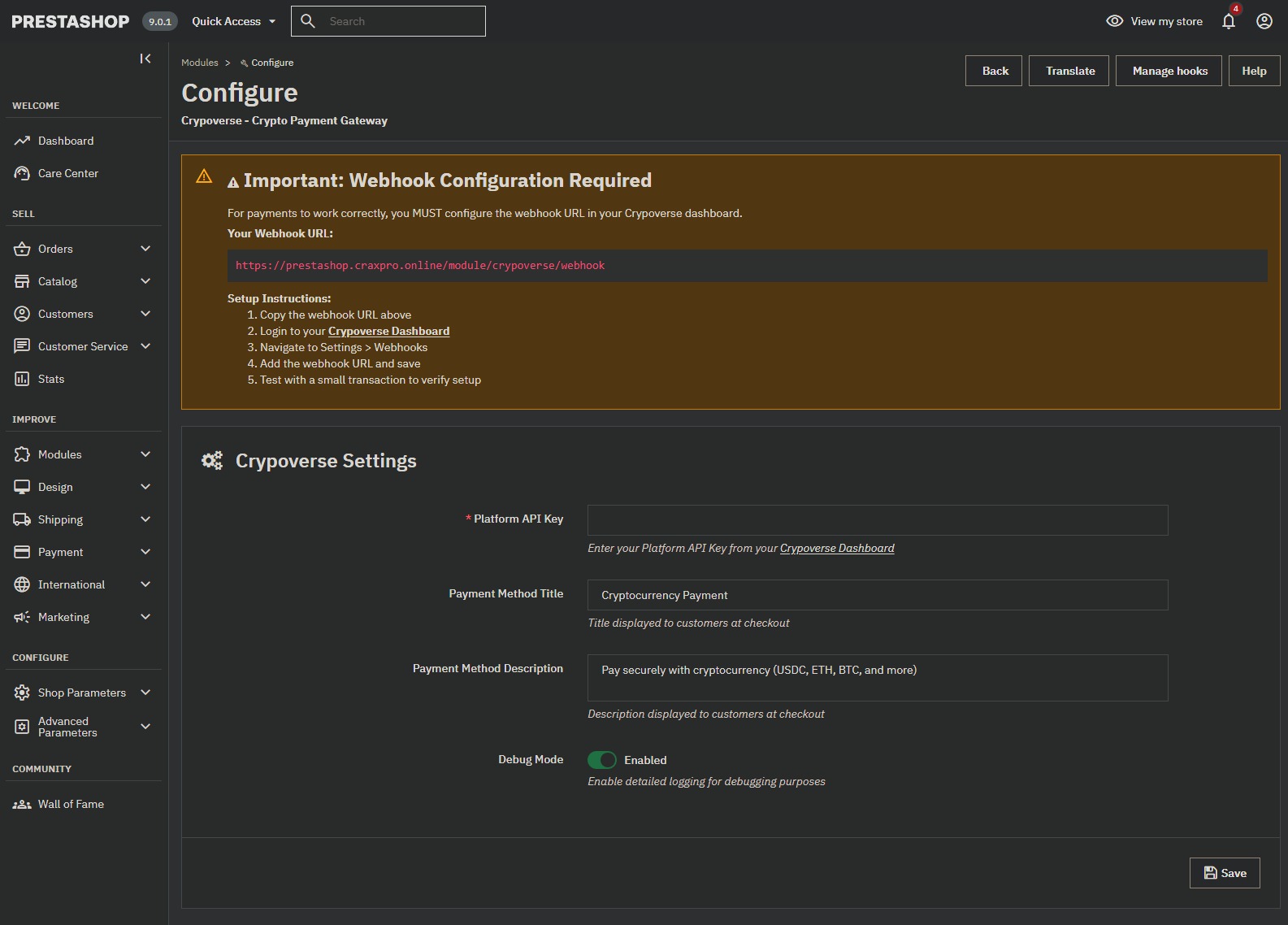
4. Customize the Checkout Display – Adjust title, description, optional design elements. Enable/disable Debug Mode for testing or live deployment.
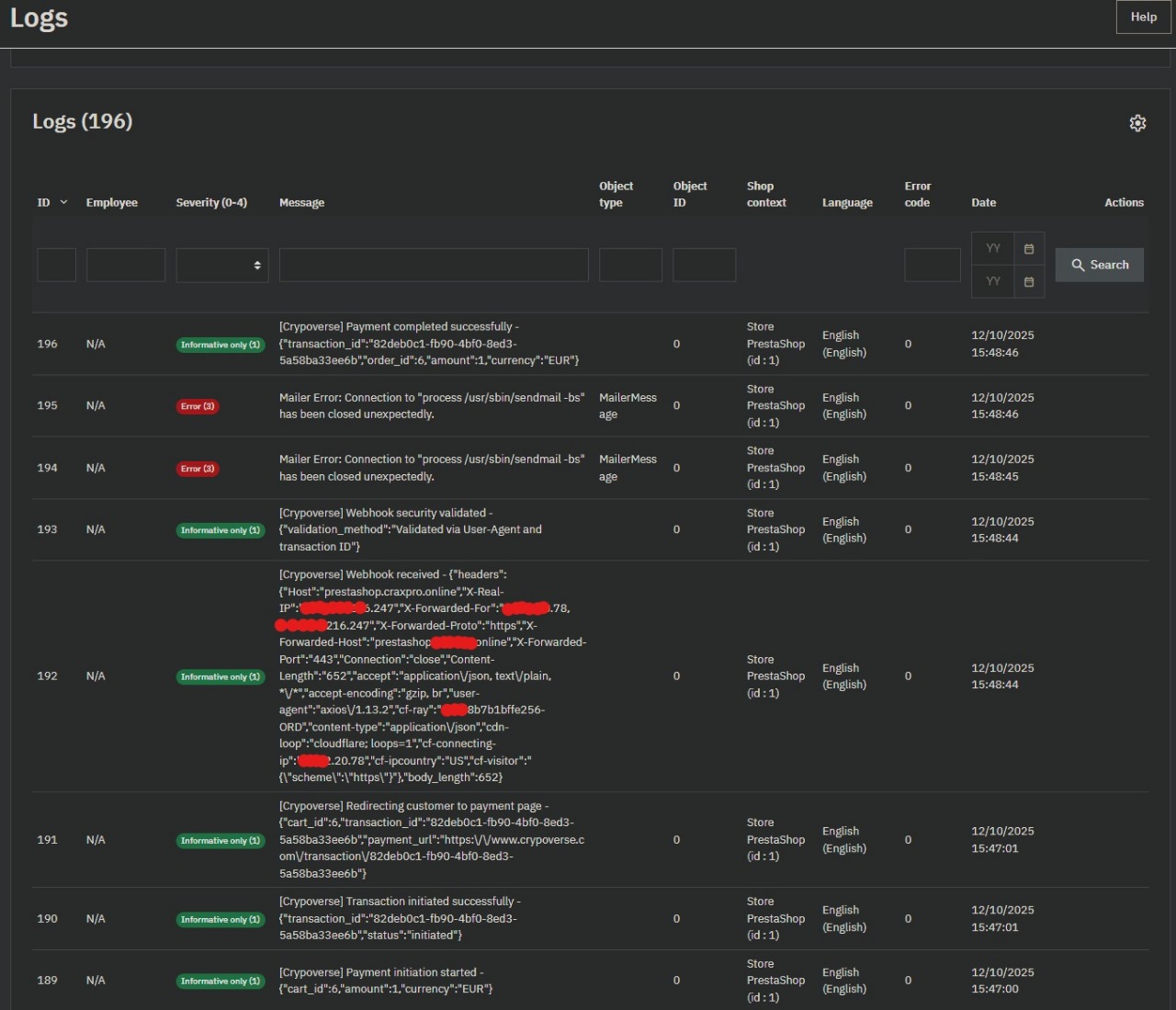
5. Review Logs and Test the Integration – Check Advanced Parameters → Logs. Perform a small test transaction to ensure orders update correctly in PrestaShop and Crypoverse Dashboard.
6. Go Live with Crypto Payments – Disable Debug Mode. Store is now fully equipped to accept global crypto payments securely.