Invision Community Payment Gateway – Accept Cryptocurrency Payments
If you run an Invision Community powered forum or digital community, monetization and smooth payment handling are critical for growth. Traditional payment gateways often introduce high fees, chargebacks, and regional restrictions. The Invision Community payment gateway by Crypoverse enables you to accept cryptocurrency payments directly within your community, offering a secure, borderless, and easy-to-manage solution for subscriptions, upgrades, and digital products.
Why Choose Crypoverse Invision Community Payment Gateway
Crypoverse is built for community owners who want reliable monetization without operational friction. The gateway integrates seamlessly with Invision Community’s payment and commerce systems while removing the limitations of legacy processors.
- Multi-crypto support including Bitcoin, Ethereum, stablecoins, and more
- Seamless integration with Invision Community Commerce
- Secure blockchain-verified transactions with no chargeback risk
- Member-friendly checkout for subscriptions and digital purchases
- Real-time payment confirmation and instant settlement visibility
- Ongoing updates and support to stay compatible with platform releases
Crypoverse vs Traditional Payment Gateways
| Feature | Traditional Gateways | Crypoverse Invision Community Gateway |
|---|---|---|
| Global Access | Country restricted | Worldwide, borderless |
| Fees | High processing costs | Low crypto transaction fees |
| Chargebacks | Common | None |
| Settlement Speed | 2–5 business days | Instant blockchain confirmation |
| Privacy | Requires banking details | Wallet-based, pseudonymous |
Benefits of Accepting Crypto Payments on Invision Community
- Accept payments globally without banking or currency restrictions
- Reduce transaction costs by avoiding card networks and intermediaries
- Receive instant settlements with no payout delays
- Protect your community from fraud and payment disputes
- Support subscriptions, premium memberships, paid forums, and digital content
Step-by-Step Guide: Accept Crypto Payments with Invision Community
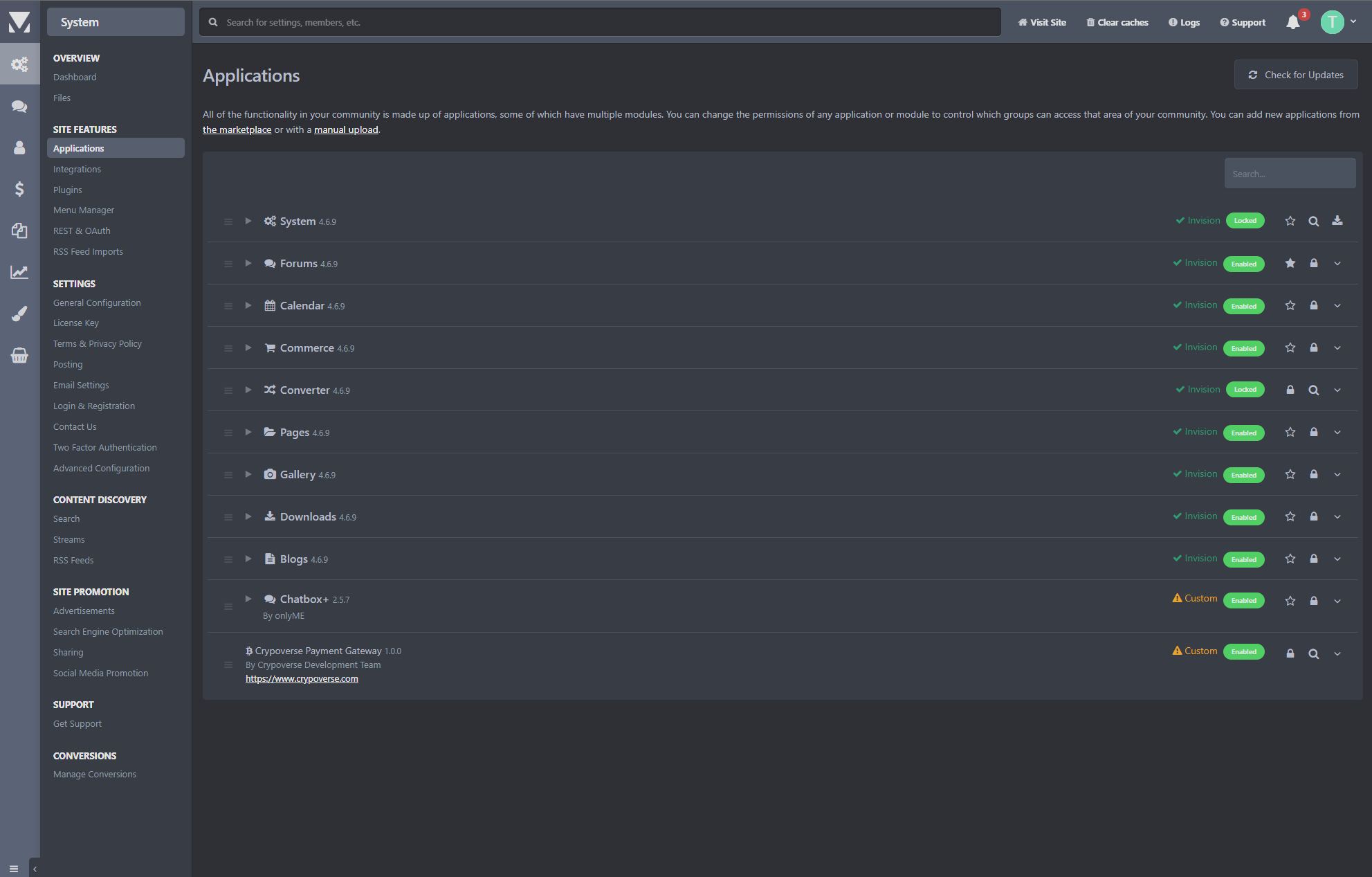
1. Enable Required Applications – In the Admin Control Panel, go to System → Applications and confirm Commerce, System, and Members are enabled.
2. Access Payment Settings – Navigate to Commerce → Payments → Payment Settings and open Payment Methods.
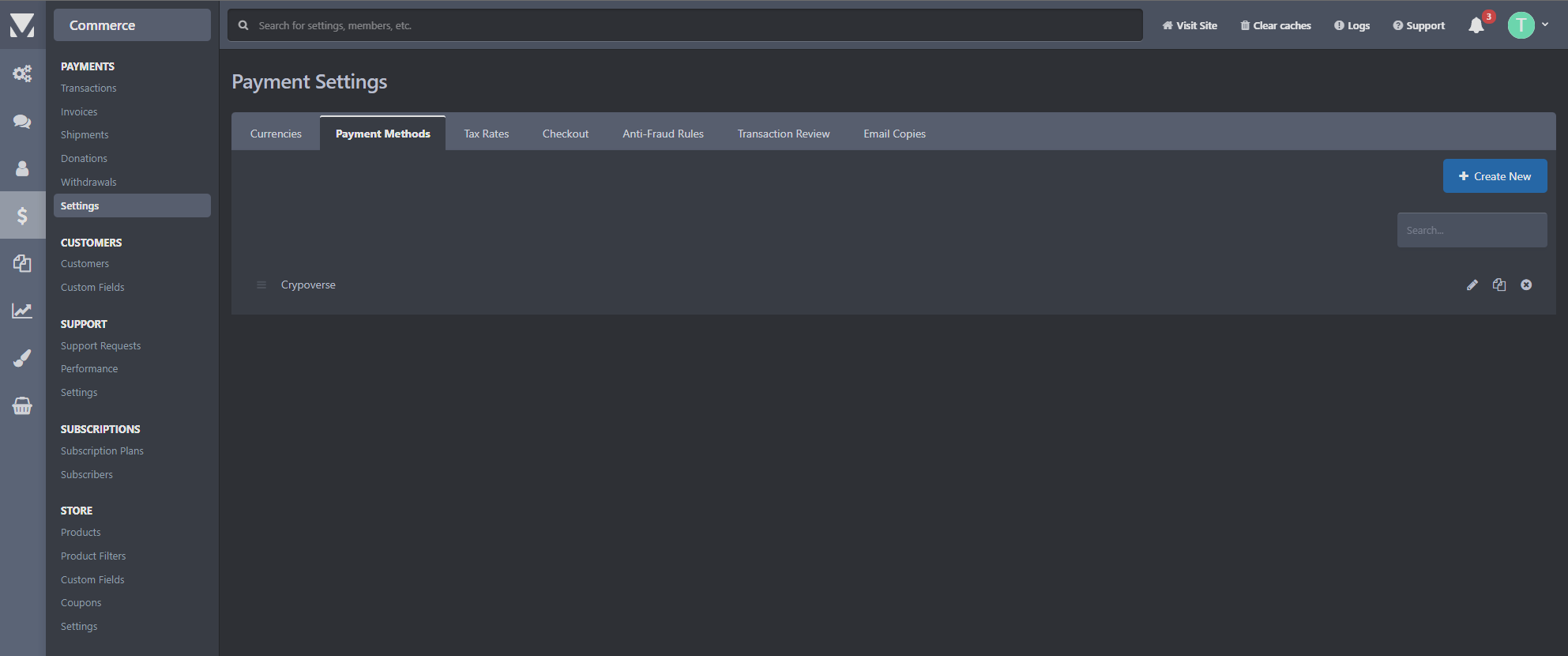
- 3. Add Crypoverse – Click Create New and select Crypoverse as the payment provider.
- 4. Enter API Credentials – Copy your Platform API Key from the Crypoverse Dashboard (Settings → API Keys) and paste it into the configuration field.
5. Configure Webhook (Mandatory) – Copy the webhook URL shown in the addon, then add it in Crypoverse Dashboard → Settings → Webhooks.
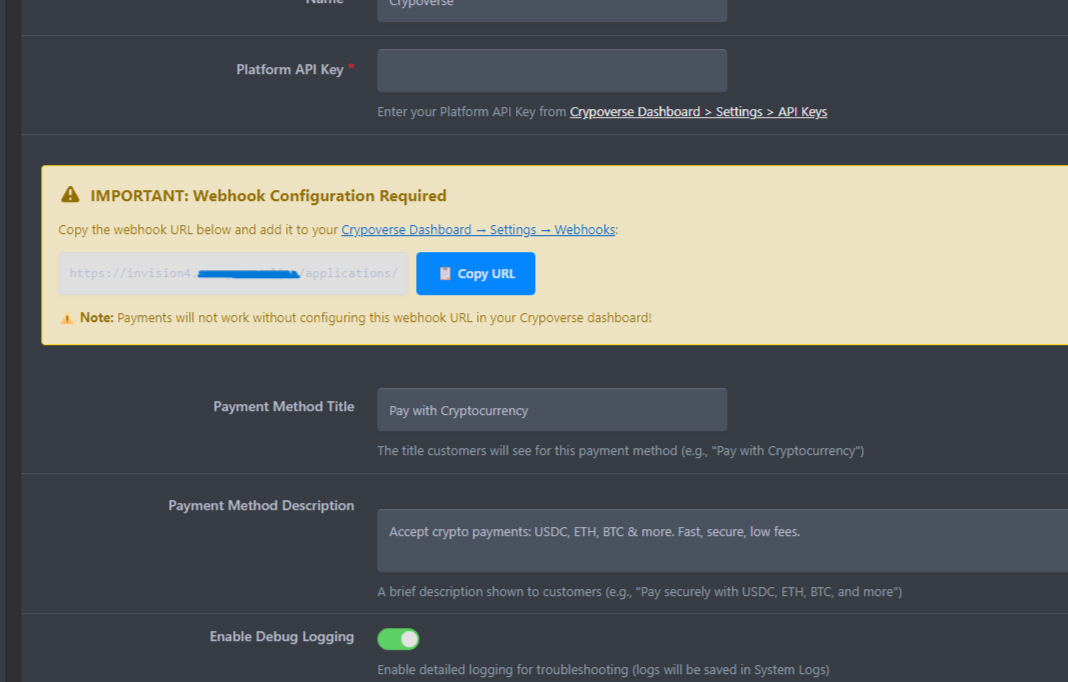
- 6. Customize Display Settings – Set the payment title and description shown to members during checkout.
- 7. Save & Test – Save settings, create a test product, and verify that payment status updates correctly.